

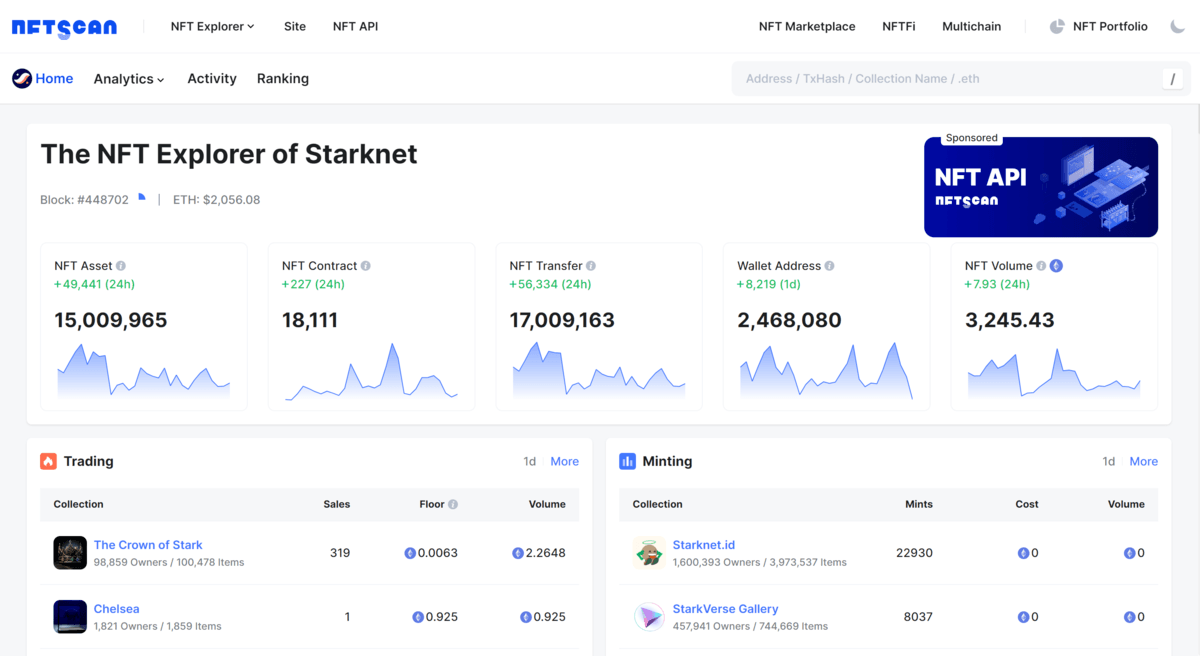
Starknet is an unlicensed Layer 2 network developed by the Israeli software company StarkWare. Operating as a ZK Rollup on Ethereum, Starknet assists dApps in utilizing STARK proofs to achieve larger computational scale at lower transaction costs. This network enables smart contracts to interact with other contracts deployed on the blockchain, thereby enhancing composability between protocols. Starknet is among the top four Layer 2 solutions in 2023 alongside Arbitrum, Optimism (OP Mainnet), and zkSync, garnering significant popularity.
According to data from NFTScan as of December 1st, on the Starknet network, there have been a total of 15,009,965 NFT assets minted, 18,111 NFT collections, 17,009,163 transaction records generated, interactions from 2,468,080 wallet addresses, and a total transaction volume of 3,245.43 ETH.
Starknet NFTScan:https://starknet.nftscan.com/
Step 1: Create a NFTScan Developer Account
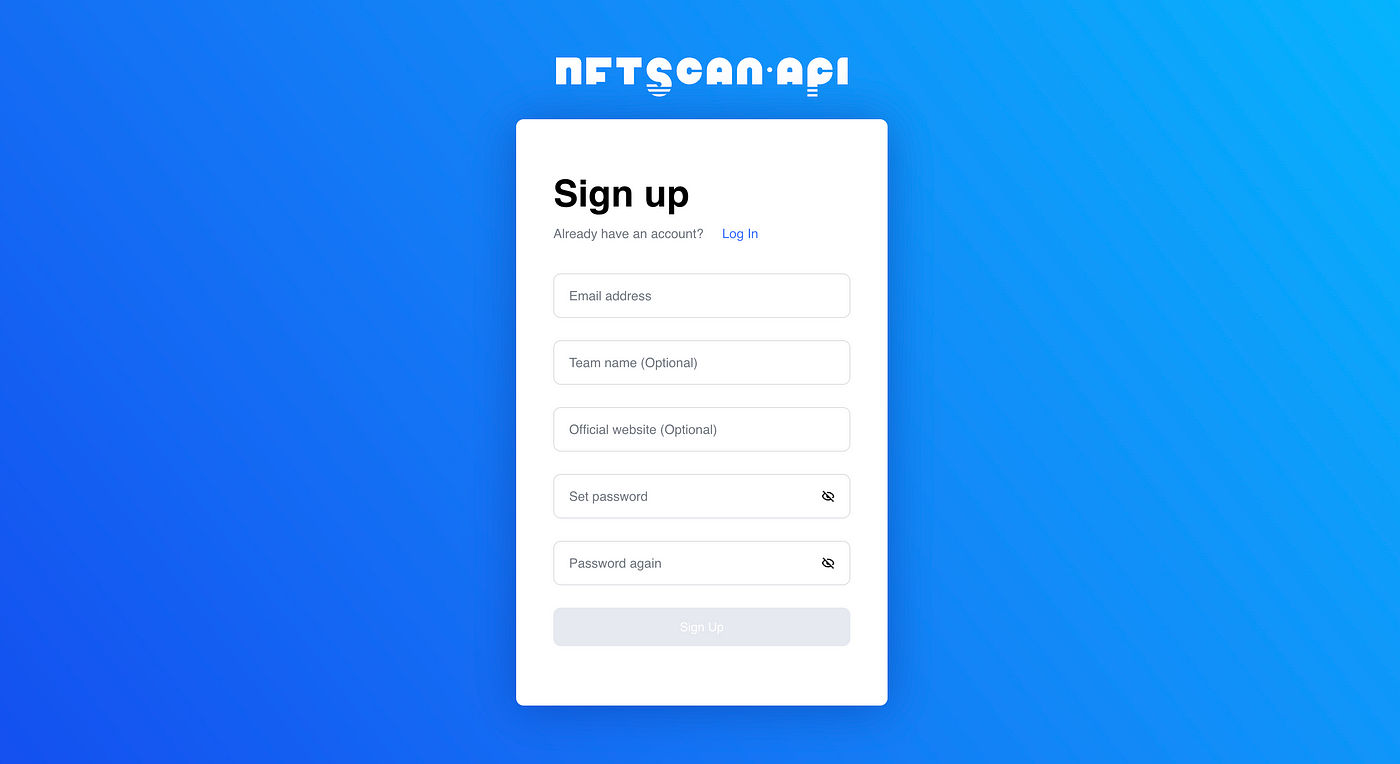
Before utilizing the NFTScan API, visit the NFTScan developer platform and create an account. Go to the official NFTScan website and click on the “Sign Up” button under NFTScan API.
NFTScan Developer: https://developer.nftscan.com/user/signup
Once logged in, find your unique API KEY on the Dashboard. Visit the API documentation and input your API KEY in the designated location. Follow the documentation’s instructions to start using the API services.
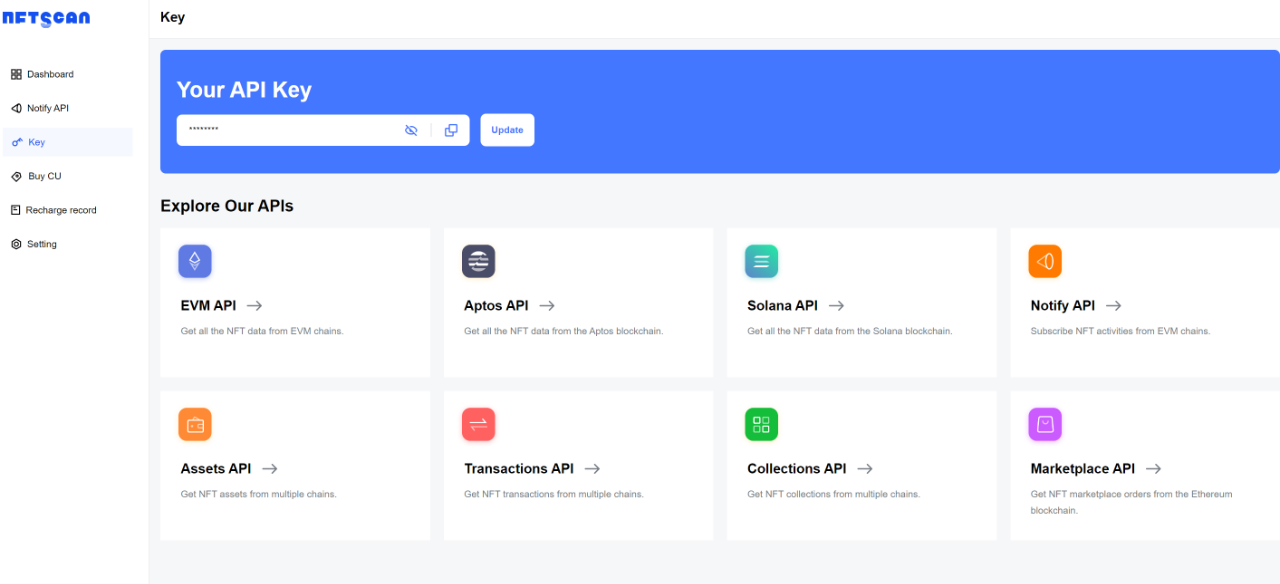
In the API documentation, developers can find multiple interface modes to choose from based on their requirements. Additionally, developers can monitor their API usage statistics in the Dashboard, which helps in keeping track of historical data. Furthermore, NFTScan offers each registered developer 1M CU of API calls, which can be used for requesting all NFT API interfaces, and these CU never expire.
Step 2: View Ethereum API Documentation
After successfully registering a developer account and obtaining an API Key, you need to review the NFTScan API documentation. The API documentation contains all available API endpoints and parameters, as well as detailed information on how to build requests and handle responses. Please read the API documentation carefully and make sure you understand how to use the API to obtain the data you need.
NFTScan API services are dedicated to helping developers improve their experience in obtaining NFT data analysis.Currently, NFTScan has the largest and most comprehensive NFT Collection database on the web, supporting full NFT data for 21 blockchains including Ethereum, Solana, BNBChain, Bitcoin, TON, Polygon, zkSync, Aptos, Linea, Base, Avalanche, Arbitrum, Optimism, Starknet, Scroll, Viction,Fantom, Moonbeam, PlatON, Cronos, and Gnosis. The covered NFT data is extensive and diverse, providing a complete set of interfaces to obtain ERC721 and ERC1155 assets as well as transaction, project, and market statistics information. NFTScan now supports more than 60 public interfaces for EVM-compatible chains and a group of equivalent interfaces for Solana, Aptos, Bitcoin, and TON, largely meeting developers’ needs for indexing various types of NFT data.
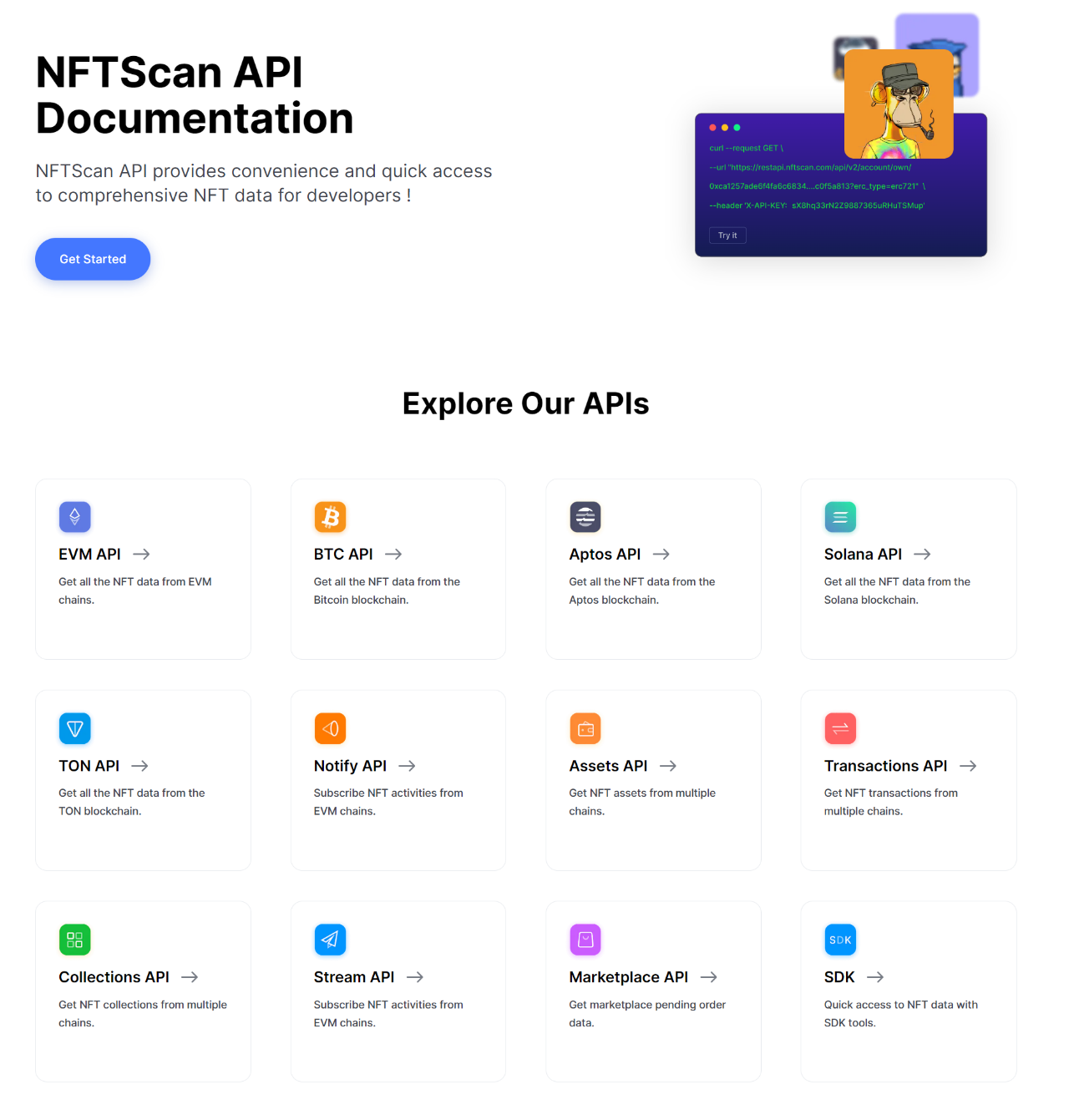
This comprises three primary model interfaces, each with an overview and explanation of core API fields to assist developers in accessing and utilizing data for their Dapp services under development.
1/ Assets API: "Assets" represent the most critical data fields within NFT, uniquely identifying and describing digital assets. Developers can extract "Assets" data from NFTs on the Starknet to gain comprehensive insights and construct relevant applications. The "Assets" object provides unique identification for digital assets and data about their entire lifecycle, serving as a foundation for developers to understand and utilize NFTs.
2/ Tansactions API: The transaction model represents the complete transaction data for an NFT asset on the blockchain, offering developers a full view of an NFT's transaction history. This includes NFT minting, transfers, sales, and other transaction activities, providing developers with an opportunity to deeply understand the flow and evolution of NFT assets within the Starknet ecosystem. NFTScan continuously aggregates NFT transaction market and related contract information from various blockchain networks. Currently, NFTScan has compiled data for tracking and understanding NFT market dynamics, aiding developers in building NFT-based applications and tools.
3/ Collections API: NFTScan retrieves off-chain data related to NFT Collections, including descriptions, social media, and other fundamental information. This data is obtained from the most popular NFT markets provided through various blockchain networks. Additionally, floor price information is centralized data derived from order information on NFT markets, and it can be accessed via API.

1/ Retrieve Assets Series
- Get NFTs by account (Retrieve NFTs using a wallet address)
- Get all NFTs by account (Retrieve all NFTs associated with a wallet address and group them by contract address. If the total number of NFTs owned by the account exceeds 2000, the returned NFTs will be limited to 2000 or less. In such cases, developers and users can use pagination queries to retrieve all NFTs owned by the account.)
- Get minted NFTs by account (Retrieve NFTs minted by a specific wallet address)
- Get NFTs by contract (Retrieve NFTs using a contract address, sorted by token_id in ascending order)
- Get single NFT (Retrieve details of a single NFT)
- Get multiple NFTs (Retrieve details of multiple NFTs from different contract addresses simultaneously)
- Search NFTs (This interface returns a list of NFT assets by applying search filters in the request body. Assets are sorted by nftscan_id in ascending order.)
- Get NFTs by attributes (This interface returns a set of NFTs belonging to contract addresses with specific attributes. NFTs are sorted by token_id in ascending order.)
- Get all multi-chain NFTs by account (This interface returns all multi-chain NFTs owned by a specific wallet address, grouped by contract address.)
We retrieve details of a single NFT item under a contract address using the 'Get single NFT' endpoint: '/v2/assets/{contract_address}/{token_id}' The path parameters include contract_address/token_id for selection. In this case, we are querying an NFT with the address 0x0727a63f78ee3f1bd18f78009067411ab369c31dece1ae22e16f567906409905, named Starkpunks, and having the token ID 1.
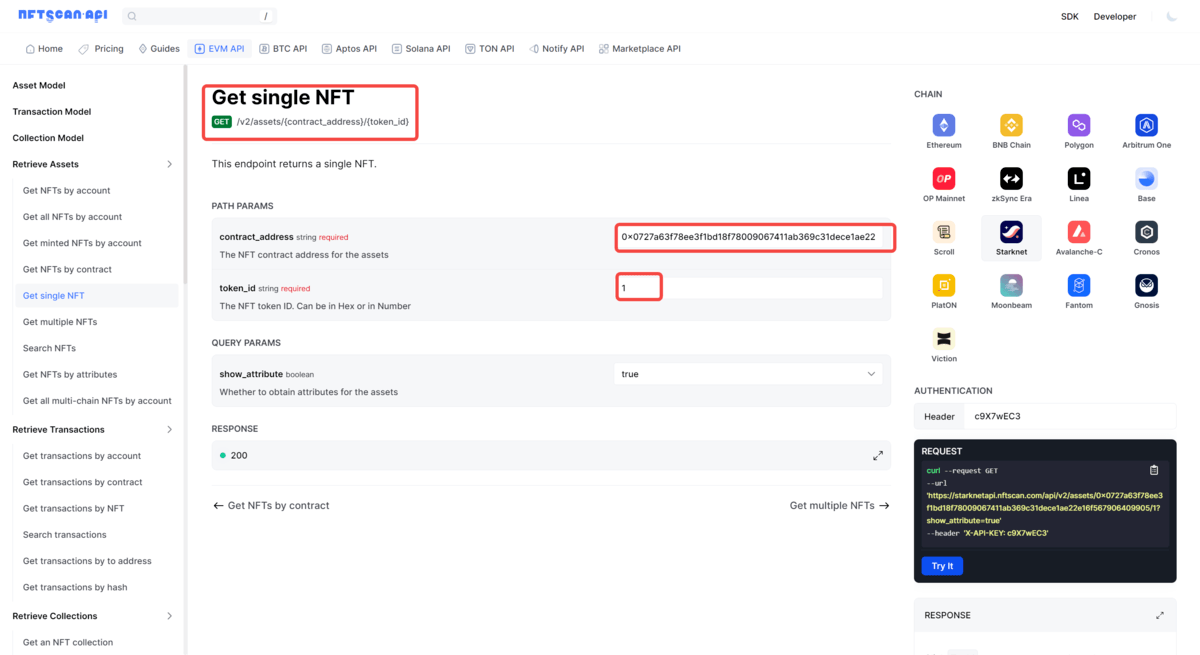
Clicking "Try it" resulted in a data response. There are a total of 30 items under this address. The returned data includes:
1)The queried NFT token ID is 1, representing a 1% share within the project. It follows the ERC721 protocol standard. Information includes the Mint wallet address/current holder's address, timestamp when the NFT was minted, Mint's hash address and price, as well as the Token URI address. The 'latest_trade_price' (last traded price)/'latest_trade_symbol' (currency of the last traded price), 'latest_trade_timestamp' (timestamp of the last trade) currently display as null, with returned values empty, indicating that this project has not undergone any transactions.
2)Metadata: From this project's metadata, it is evident that the Metadata data is hosted on IPFS in image/png format.
3)Rarity: Description of attributes, rarity score, and rarity ranking.

2/ Retrieve Transactions Series
- Get transactions by account (This interface returns a list of NFT transactions for a wallet address)
- Get transactions by contract (This interface returns a list of NFT transactions for an NFT contract address)
- Get transactions by NFT (This interface returns a list of NFT transactions for a single NFT)
- Search transactions (This interface returns a list of NFT transactions by applying search filters in the request body)
- Get transactions by to address (This interface returns a list of NFT transactions filtered by transaction parameters)
- Get transactions by hash (This interface returns transaction records based on a list of transaction hashes)
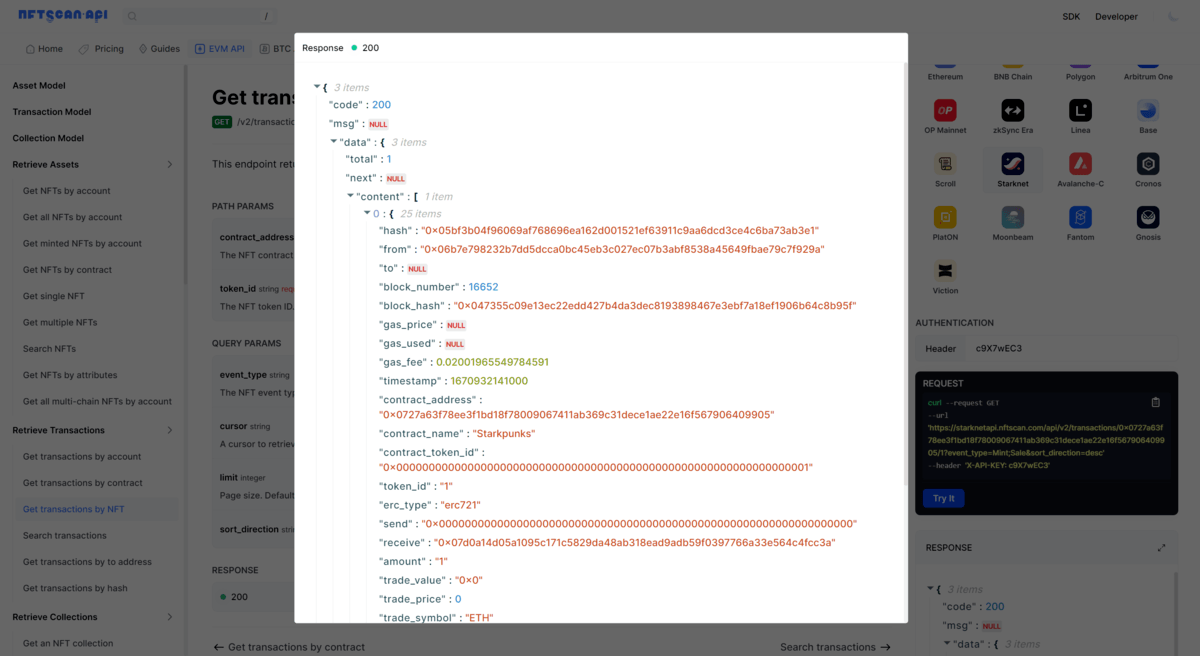
Here, we utilize the 'Get transactions by NFT' endpoint '/v2/transactions/{contract_address}/{token_id}' to retrieve transaction records for a specific NFT item. The query parameters allow selection of transactional NFT event types (Mint/Transfer/Sale/Burn) using ';' to separate multiple events.Similarly, we are retrieving an NFT from Starkpunks with token ID 1. By specifying the Mint&Sale event types, the response data includes all key information related to this NFT transaction, such as transaction hash, From and To addresses, block details, gas consumption, transaction timestamp, and other fundamental data pertinent to Mint&Sale NFT transaction events.
3/ Retrieve Collections Series
- Get an NFT collection (Retrieve details based on the contract address of the collection, including an overview and classification of items based on descriptions, distribution of holders, average prices, floor prices, and other basic summary information)
- Search NFT collections (This interface returns information about collections by applying search filters in the request body, and the collections are sorted in ascending order based on the deployment block number)
- Get NFT collections by account (This interface returns a list of projects with the given account address, and the collections are sorted from high to low based on the floor price)
- Get NFT collections by ranking (This interface returns a list of projects with the given sorting field, and the collections are sorted based on the specified sorting field and direction)
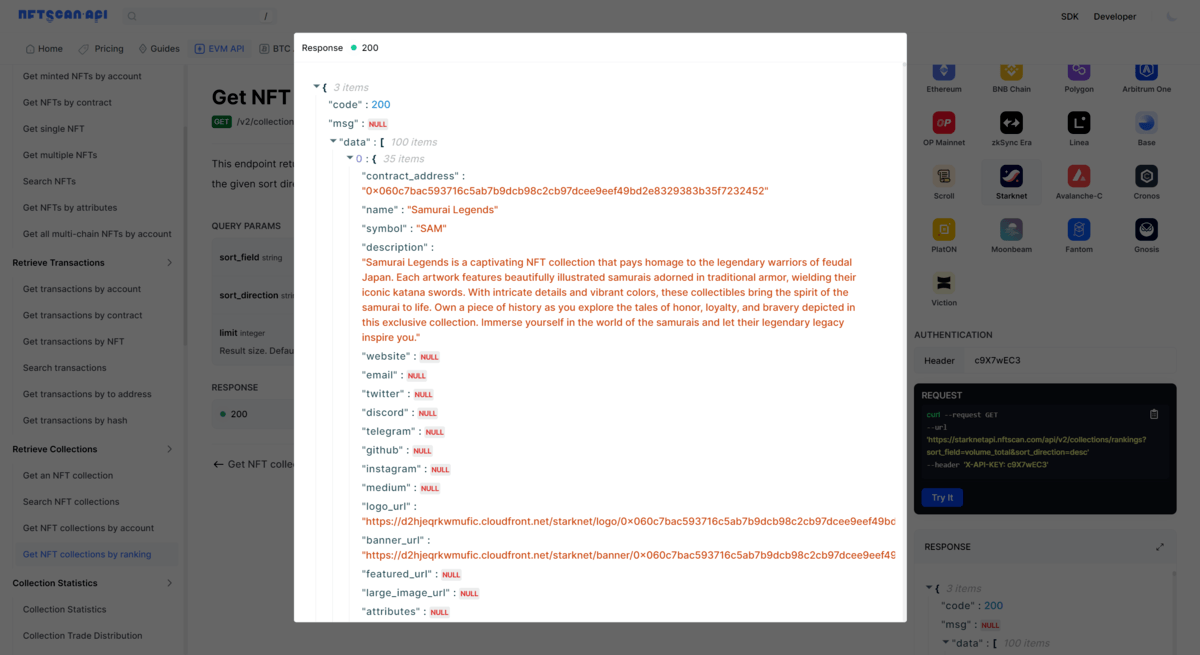
Here, through the 'Get NFT collections by ranking' endpoint '/v2/collections/rankings', we retrieve the NFT Collection Ranking list on the Starknet network. The query parameters for retrieval include:volume/sales/average_price/floor_price/volume_change/average_price_change, etc. Here, we opt to retrieve using the 'volume_total' field, resulting in a total return of 100 data points, with each data point containing 35 items.
4/ Collection Statistics
- Collection Statistics (This interface provides an analytical overview of NFT Collection statistics)
- Collection Trade Distribution (This interface primarily provides the distribution of project trades)
- Collection Trending Statistics (Mainly returns trading statistics ranking for a project)
- Collection Holding Amount Distribution (This interface can provide information on the distribution of NFT project holdings)
- Collection Holding Period Distribution (Data returns information about the distribution of NFT project holding periods)
- Collection Blue Chip Statistics (Overview statistics for blue-chip projects)
- Collection Blue Chip List (List of blue-chip projects associated with the project, referring to NFTScan Blue Chip Collection)
- Collection Top Holder (Distribution of the top holders of the Collection)
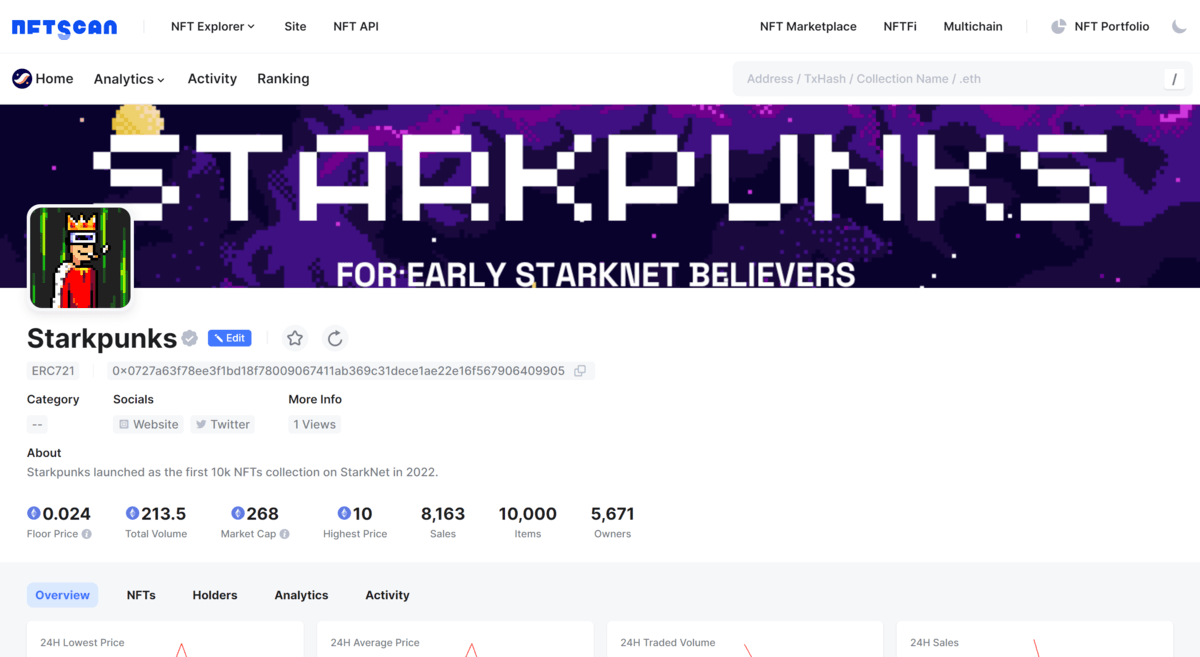
Here, through the 'Collection Statistics' endpoint '/v2/statistics/collection/{contract_address}', primarily, it returns an analytical overview of an NFT Collection. You can refer to the Starknet on-chain Starkpunks data overview:
- Account Overview Statistics (This interface returns an overview of statistical information for an account address, refer to NFTScan Overview)
- Account Holding Distribution (This interface returns statistical information on the distribution of NFT holdings for an account address, refer to NFTScan Portfolio)
- Account Holding NFT Trending (This interface returns statistical information on the trending NFT holdings or quantities for an account address, refer to NFTScan Portfolio)
6/ Analytic Statistics Series
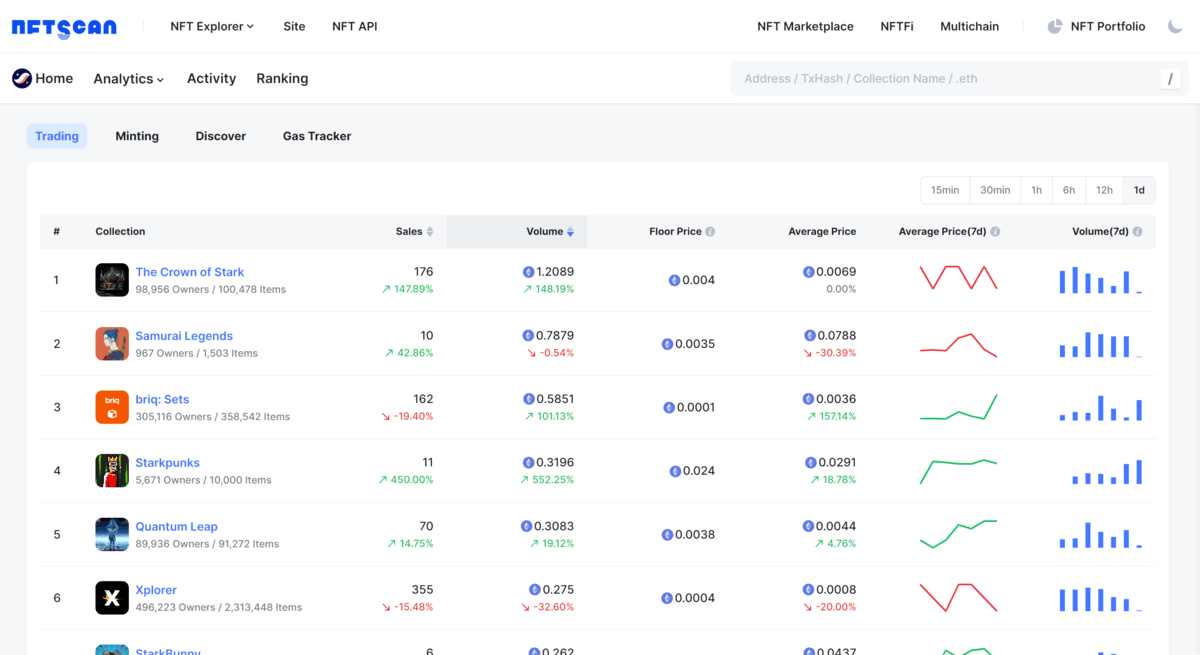
This series of interfaces are typically used to obtain various data analysis and statistical information on the NFTScan Avalanche-C network. Interfaces like Trade Ranking, Mint Amount, and others allow developers or users to query, analyze, and retrieve statistical data related to specific datasets or metrics. They can be used for various purposes, including market analysis, trend tracking, investment decisions, and understanding the nature of specific data.
Reference: https://starknet.nftscan.com/analytics
7/ Refresh Metadata
- Refresh NFT metadata
- Refresh NFT metadata by contract
Interfaces like Refresh Metadata can assist developers or users in submitting backend tasks to refresh metadata. Once reviewed, these tasks will refresh the specified item or the entire contract metadata.
8/ Other
- Get latest block number (Returns the latest block number reached by NFTScan)
- Get NFT amount by account (Returns information on the quantity of ERC721 and ERC1155 NFTs owned by the account address specified in the request body)
- Get NFT owners by contract (Returns a list of owners for the specified ERC721 NFT contract address, with NFTs sorted by token_id)
- Get owners by an NFT (Returns a list of owners for the specified ERC1155 NFT, with NFTs sorted by account_address)
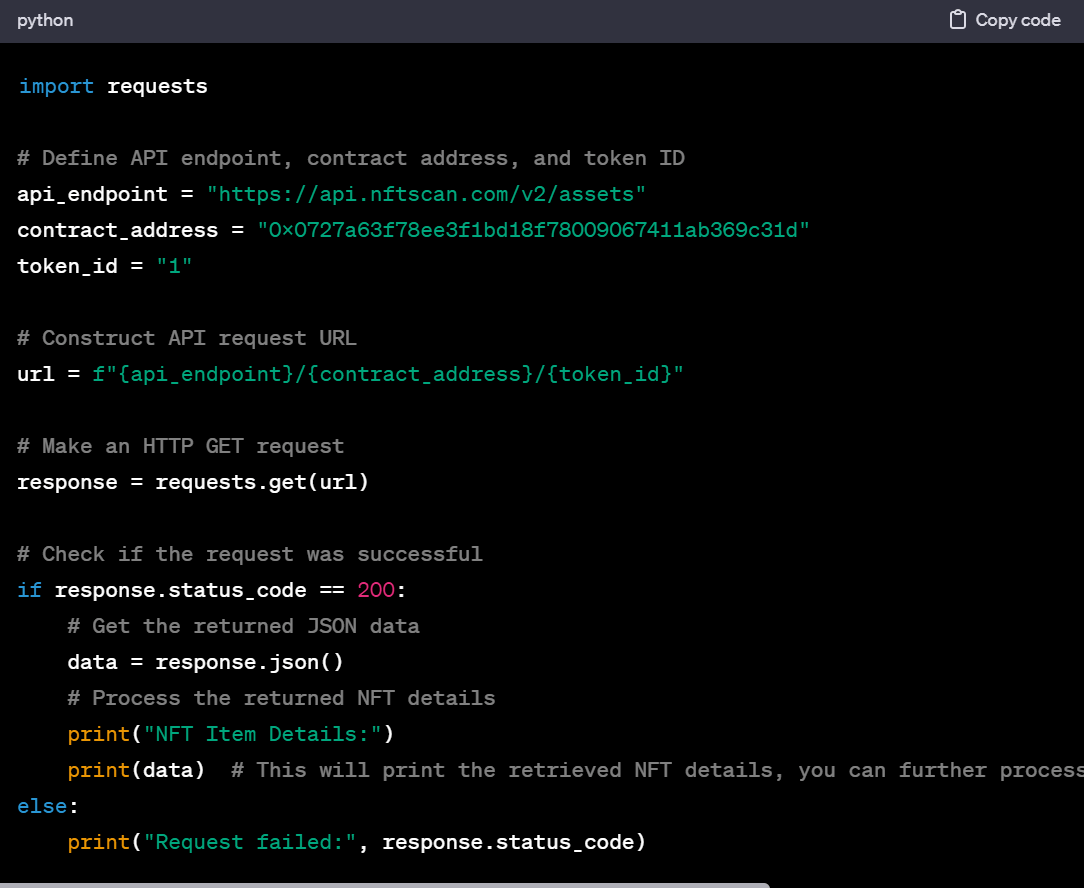
Calling the NFT API from NFTScan is incredibly straightforward for developers. It only requires a few steps: first, navigate through the comprehensive documentation to find the required API, understand its request method, parameters, etc. Next, select a familiar programming language such as JavaScript, Python, or Java, and import the language's request library. Then, following the documentation, construct the request by configuring the API endpoint, method, and request parameters. Finally, utilize the language's library to send the request, receive, and process the returned data in JSON format. With a simple reference to the documentation, developers can complete the calling process without delving into complex technical details. The exceptionally low entry barrier makes accessing NFT data incredibly easy.
Here, we request the details of an NFT Item with token ID 1 under the Starkpunks contract address, using the 'Get single NFT' endpoint '/v2/assets/{contract_address}/{token_id}'. The retrieval address is 0x0727a63f78ee3f1bd18f78009067411ab369c31dece1ae22e16f567906409905, and an HTTP GET request is made to access the NFTScan API endpoint. To achieve this using Python's requests library, you can construct the request as follows:

All Comments